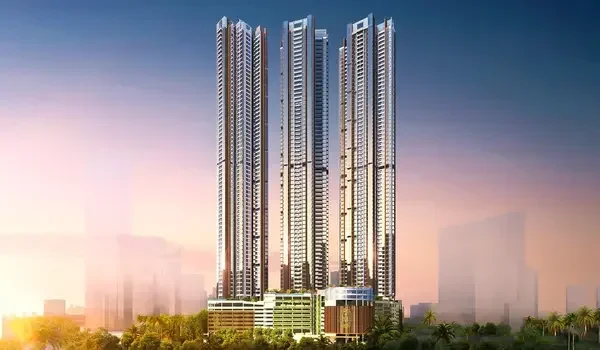
Tamil Nadu RERA (TNRERA): How to Verify Sobha Seinna
Featured Image of Tamil Nadu RERA (TNRERA): How to Verify Sobha Seinna


To verify Sobha Seinna, open rera.tn.gov.in and click Registration, then Projects, then Registered Projects. Pick the Building category and search by Sobha Seinna, Sobha Limited or the RERA number. Then check that the status on the record reads Registered. TNRERA has not issued Sobha Seinna's number yet, so check again before the 23 December 2026 launch.

Once the number appears, you can also download the certificate and the project papers. This guide walks you through each step, each status and the details to check. For the current approval position, see the Sobha Seinna RERA approval page.
Why You Should Verify Sobha Seinna Yourself


Brochures, agents and listing sites sometimes carry wrong or old RERA numbers. Some even copy a number from another project. The only safe source is the TNRERA portal, where you can read the record yourself.

In Tamil Nadu, any project with over eight units or 500 square metres of land must register. Sobha Seinna plans 650 homes on 8.5 acres at Egattur, so it must register. Until the number shows up on the portal, no formal sale can take place.

How to Verify Sobha Seinna on the TNRERA Portal


  • Open the official TNRERA website at rera.tn.gov.in in your browser.
  • Click the Registration menu, then choose Projects and Registered Projects in Tamil Nadu.
  • Select the Building option, since Sobha Seinna is a flat project and not a plot layout.
  • Choose the year of registration, which should be 2026 or 2027 for this project.
  • Search by "Sobha Seinna", "Sobha Limited" or the RERA number the sales team gave you.
  • Open the project record and download the registration certificate and filed documents.
  • Save a screenshot of the record with the date, so you keep proof of what you saw.

If your search returns no result, TNRERA has not registered the project yet. Do not sign any sale agreement until the record appears.

What Each TNRERA Status Means


Status What It Means What You Should Do
Registered TNRERA has approved the project for sale Check the record details before you pay
Pending The application is still under review Avoid paying any advance yet
Rejected TNRERA has refused the application Treat this as a serious warning
Revoked TNRERA has cancelled an earlier registration Stay away from the project

For Sobha Seinna, you want the record to show the Registered status clearly. A pending or missing record means you should wait.

How a TNRERA Number Looks


Each registered project in Tamil Nadu gets a unique number. Recent building projects use TNRERA, a district code, BLG, a serial number and the year. Older projects use TN, a code, the word Building, a serial number and the year.

Layout projects carry LO instead of BLG in the number. So if a seller quotes a layout code for an apartment project, ask why. The number on your sale agreement must match the portal record exactly.

What to Check on the Sobha Seinna Record


Once the record goes live, read it closely rather than just confirming the status. These details matter most for buyers before any payment.

  • The builder name should read Sobha Limited or its own project company.
  • The project address should show Egattur on Old Mahabalipuram Road, Chengalpattu district.
  • The number of towers, floors and units should match three B+G+32 towers with 650 homes.
  • The finish date on the record should match what the sales team tells you.
  • The carpet area of each home type should match the figures in your offer letter.
  • The approved plans should match the brochure and the master plan you saw.
  • The land title papers and approvals should appear in the files on the record.
  • The record should disclose any court case or loan charge on the land.

Sobha now plans to finish work on 10 December 2030 and hand over keys on 20 December. The finish date filed with TNRERA becomes the legal yardstick for any delay claim.

Red Flags to Watch For


Most problems show up as small gaps between the sales pitch and the portal record.

  • A RERA number that belongs to another project, tower or phase on the portal.
  • A builder name on the record that differs from the company taking your money.
  • A completion date on the portal that falls later than the date in the brochure.
  • An agent who cannot show their own TNRERA agent registration number.
  • Pressure to pay a large advance while the project status still reads pending.

The RERA Act bars a promoter from taking over 10% of the home cost before a registered agreement. So any request for a larger upfront payment deserves a firm no.

How to Track Progress After Registration


Registration is only the start of what the TNRERA portal offers you as a buyer. The builder must post a progress report on the record every three months until the project ends. These reports show how far work has moved against the promised dates.

Check these reports every few months while work goes on. Compare them with your own site visits and each payment request you get. If progress falls behind, you have a clear record to raise with the developer.

Verify the Agent Too


Many buyers deal with agents rather than with the builder directly. In Tamil Nadu, real estate agents must also register with TNRERA. You can check an agent's number in the registered agents section of the same portal.

A registered agent falls under the authority's rules and can face action for false claims. An unregistered agent offers you no such protection.

Where to Get Help


If you spot a problem or face a dispute later, TNRERA takes complaints from buyers. You can visit its office at 1A Gandhi Irwin Bridge Road, Egmore, Chennai 600008, on the first floor. The office works from 10:00 AM to 5:45 PM on working days.

Sobha Seinna at a Glance


Sobha Seinna is a pre-launch project by Sobha Limited at Egattur, about 2 km from SIPCOT Siruseri. It offers 3 and 4 BHK homes of 1,750 to 2,700 sq.ft. from ₹1.69 Cr onwards. The developer lists its RERA status as coming soon.

You can follow updates on the Sobha Seinna website. The price page and floor plans will help you match the RERA record with your chosen unit.

FAQs


1. How do I verify Sobha Seinna on TNRERA?

Go to rera.tn.gov.in, open Registration, then Projects, then Registered Projects in Tamil Nadu. Pick the Building category and search for Sobha Seinna or Sobha Limited. Confirm the status reads Registered and download the certificate.

2. Is Sobha Seinna registered with TNRERA?

Not yet, as of October 2026, since TNRERA has not issued its number. The developer lists the RERA status as coming soon. Check the portal again before the planned launch on 23 December 2026.

3. What does a pending status mean on TNRERA?

A pending status means TNRERA is still reviewing the application. The project cannot legally sell homes until the status changes to Registered. Avoid paying any advance while the status stays pending.

4. What should I check on the TNRERA project record?

Check the promoter name, project address, unit count and declared completion date. Match the carpet areas and approved plans with your offer letter. Also look for any disclosed litigation or encumbrance on the land.

5. Can I search TNRERA without the RERA number?

Yes, the portal lets you search by project name, promoter name or district. For Sobha Seinna, try both the project name and Sobha Limited. The RERA number gives the most exact match once it exists.

6. How can I check if a real estate agent is TNRERA registered?

Open the registered agents section on rera.tn.gov.in and search by the agent's name or number. A registered agent must follow TNRERA rules and answer for false claims. Avoid dealing with agents who cannot show a valid number.

Enquiry
Enquire Now